

Information Technology Apps
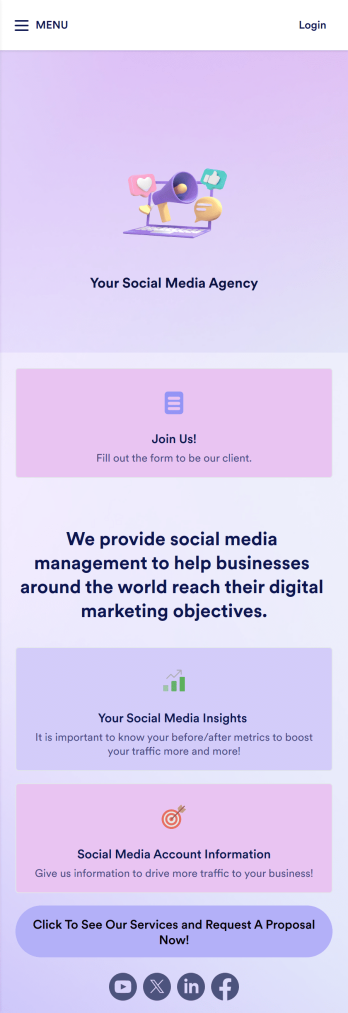
Social Media Marketing App
A social media marketing app is used by social media managers or marketing agencies to list their services, accept proposal requests, and list their contact information. With this ready-made Social Media Marketing App, your business can provide clients with a convenient mobile app — which they can instantly download onto their smartphone for easy access.Need to make design changes? Add your company logo and branding, update the listed services, and change the app background, colors, and icon for a personal touch. No coding knowledge is required with our drag-and-drop builder! Give your customers a quicker way to contact you and book your services with a custom Social Media Marketing App.
Go to Category:Consulting Apps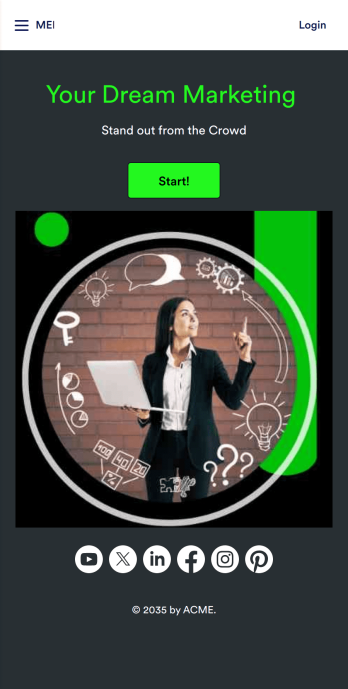
Marketing Agency App
Reach a wider audience and take your marketing agency online with a branded app from Jotform Apps. With this ready-made Marketing Agency App, you can showcase your offered services, marketing portfolio, and link to your social media accounts. Clients can access and download your app onto any smartphone, tablet, or desktop computer in seconds.Want to personalize this Marketing Agency App to suit your needs? No problem! Jotform’s drag-and-drop builder makes it easy to add form elements, install helpful widgets and integrations, change fonts and colors, upload your agency’s unique branding, and much more without any coding or design knowledge. Share your app by sending email invitations, including the app link in social media accounts and posts, or by seamlessly embedding it in your company website with a simple copy-paste code.
Go to Category:Consulting Apps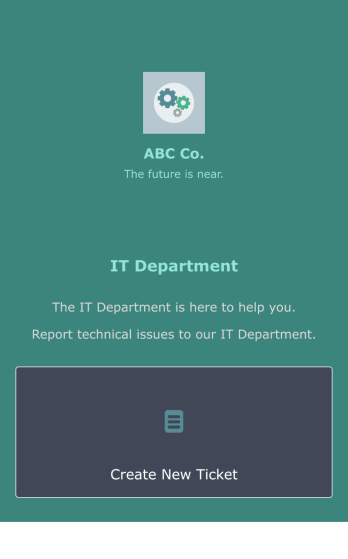
IT Ticketing App
An IT Ticketing App is used by companies to internally record IT issues using support tickets. This readymade app allows employees to specify their IT issue, browser, and operating system, add relevant URLs, assign priority level, and even attach screenshots using an included upload form. IT tickets are then stored securely in your account, where they are compiled into an easy-to-read spreadsheet in Jotform Tables.Our drag-and-drop interface makes customizing this IT Ticketing App a breeze. With just a few clicks, you can add or change forms and text, choose fonts and colors, upload your company logo, update the app name and icon, and more — no coding required. When you’re finished, just share a link with your employees, where they can access and download your app on any smartphone, tablet, or desktop. Start squashing bugs today with this fully customizable IT Ticketing App!
Go to Category:Tracker Apps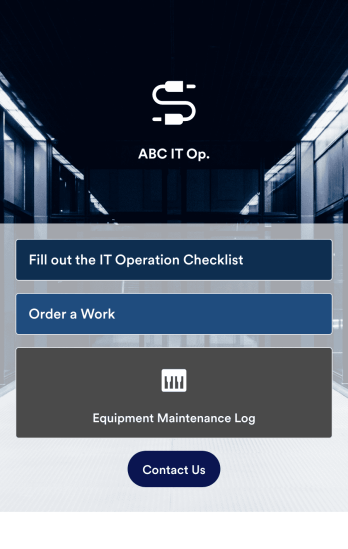
IT Operation Checklist App
An IT operation checklist app is used by IT departments for documenting routine operations and maintenance. This free app template from Jotform is a great way for IT departments to keep track of system servers, network status, and equipment maintenance. With an included IT Operation Checklist Form, IT associates can fill out and digitally sign a daily, weekly, or monthly general operations checklist. Supervisors and employees can also request new IT jobs with a Job Work Order Form, and specify a starting date, tools and requirements, and upload any relevant images and documentation. Equipment maintenance submissions are stored in an Equipment Maintenance Log, which you can sort, filter, and search from your secure Jotform account.You can easily make changes to this IT Operation Checklist App with Jotform’s intuitive app builder. No coding required — simply drag and drop to add or swap out form elements, edit checklist items, choose fonts and colors, create a custom app icon and splash screen, upload your own branding, and much more. Once you’re finished, share your custom app with other IT associates by sending email invites, or by embedding it in an internal website. Create an all-in-one app for routine IT work with this IT Operation Checklist App that works on any device.
Go to Category:Checklist Apps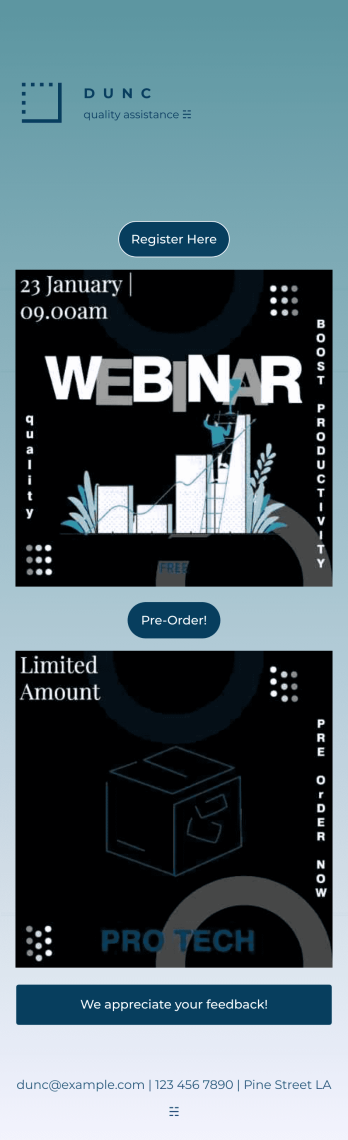
Business Instagram Bio Link App
Create an app to add to your company’s Instagram bio with Jotform’s Business Instagram Bio Link App. With this app template, you can make company announcements, showcase webinars and events, create pre-order forms, and have your followers submit feedback — all accessible from a single app in your Instagram bio. Submissions made to your app are stored in your secure Jotform account, which you can view on any smartphone, tablet, or desktop.Make this Business Instagram Bio Link App your own by adding your own branding. Just use Jotform’s drag-and-drop form builder to upload your logo or a background image, choose a custom app icon, change fonts and colors, and more — no coding required. You can also fully customize your app’s splash screen by adding or changing form elements or installing widgets. After you’re finished, simply copy and paste a link to your app in your Instagram bio and you’re off and running. Create an all-in-one app that your followers can access on any device with this free Business Instagram Bio Link App.
Go to Category:Social Bio Link Apps
Security Service App
Want a quick and efficient way for your clients to book your security services? With Jotform’s Security Service App, you can create an online security booking app in minutes. Make your app from scratch or choose one of our ready-made templates to get started. Add a contact form, list your security team’s availability, showcase past customer reviews, and more. Once you’ve customized your app to your liking, share with clients — downloadable onto any computer or iOS or Android device.Design your Security Service App to your liking with Jotform’s no-code app builder. Just drag and drop to change the look and feel of your app, add powerful app elements, install helpful app widgets, and integrate with one of our 25+ payment processors, including PayPal and Google & Apple Pay. Share your app via email or embed it directly into your website for easy client access and bookings. Create your own Security Service App today — free on Jotform.
Go to Category:Online Service App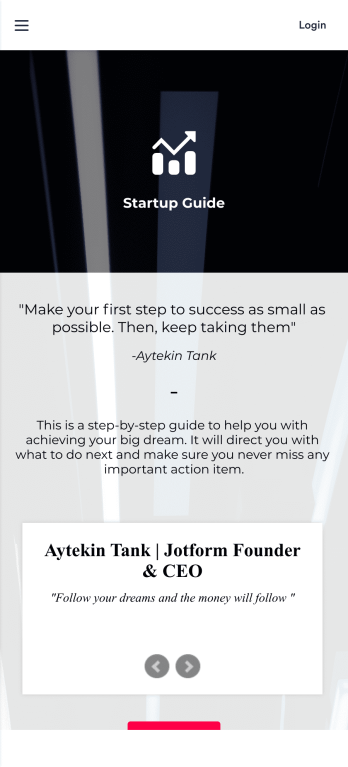
Startup Guide App
Ready to launch your very own startup? Get started with Jotform’s free Startup Guide App designed to help you turn your business vision from idea to reality. This ready-to-use mobile app template includes a link to our bootstrapping guide, inspirational quotes from business leaders, and multiple checklist forms to help guide you through the process of testing your concept and building your business plan. Responses will be synced to your secure Jotform account, which lets you view your data in whatever way works best for you — be it an inbox, spreadsheet, or as easy-to-read cards.This Startup Guide App is ready for you to use as is — but if you’d like even more from it, feel free to customize it using our drag-and-drop builder. With just a drag and drop, you can add or remove forms, include tables and documents, embed links to other websites, upload photos or videos, create new pages and buttons, update fonts and colors to match your branding, and change the app icon and name to better represent your business. When you’re happy with how the app looks, download it onto your favorite device for easy access. You can even share it with other aspiring entrepreneurs via the app link or email invites. Get your business ideas off the ground with a comprehensive and easily-accessible Startup Guide App powered by Jotform.
Go to Category:Checklist Apps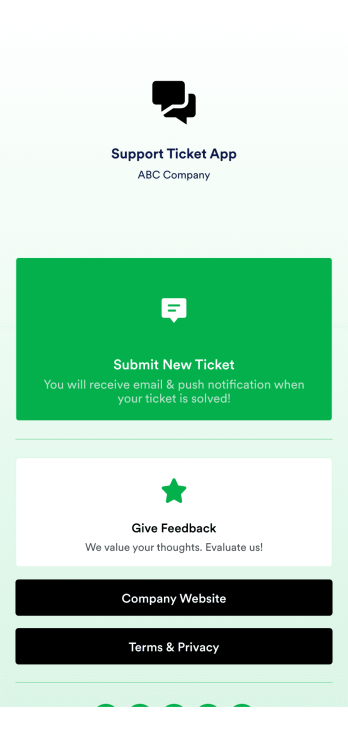
Support Ticket App
Jotform's Support Ticket App template allows customer support teams and IT departments to efficiently manage customer inquiries and issues without any coding. This free, no-code app builder enables users to create a fully customized app with forms, widgets, products, and branding that can be downloaded onto any device. With this template, support teams can collect tickets and feedback to streamline their ticketing system and provide timely assistance to customers.Are you looking for a way to simplify your customer support process? Jotform's Support Ticket App template is the solution you need. With features like a drag-and-drop builder, powerful app elements, and 70+ app widgets, you can create a seamless experience for your customers. Improve user engagement with push notifications and give users access to their submission history. Experience the ease of use and customization that Jotform Apps offer, making it the perfect choice for customer support teams and IT departments.
Go to Category:Customer Portal Apps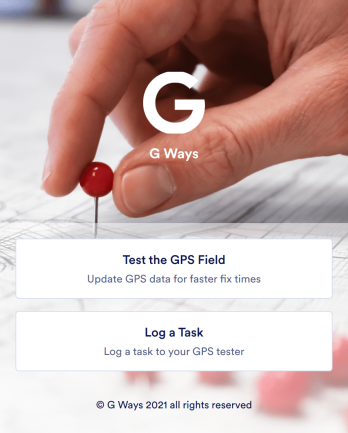
Gps Field Testing App
A GPS field testing app is used by GPS businesses for adjusting and servicing location data. Our GPS Field Testing App is a convenient way for field employees to create on-site GPS testing reports using a Field Testing Form and a Task Log Form. Employees can document device configuration, weather conditions, and note any obstructions. There is also space to record additional notes and upload photos of the sites. Reports are synced and stored in your secure Jotform account so you can keep them organized in one centralized location.Want to make this app template your own? No problem — just use our drag-and-drop app builder to customize the perfect app in seconds. Without any coding, you can add or change form elements, edit text fields and checklist items, choose fonts and colors, upload your branding, and more. Sharing your app by sending email invites or the app link, and employees can start filling out forms right away on any device. Ditch the paperwork and go digital with this free GPS Field Testing App from Jotform.
Go to Category:Engineering App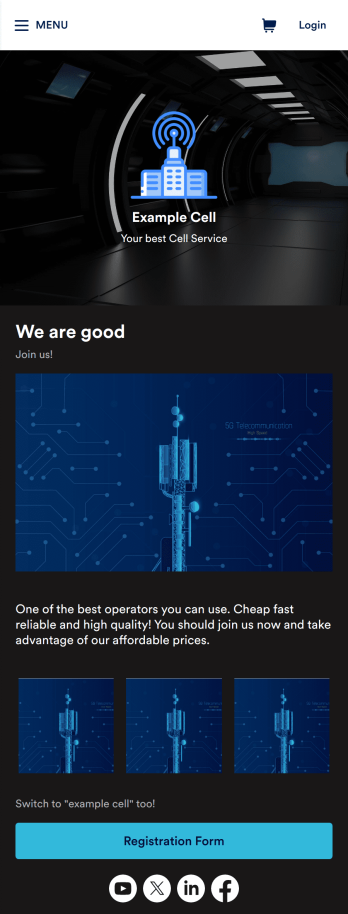
Cell Service App
If you sell cell phones or are a cell phone service provider, use this free Cell Service App to give customers an easy way to contact you and purchase your products or services! Start by customizing the app template to match your needs and branding — then share the app to be downloaded onto any iOS or Android tablet or smartphone. Customers can then submit orders, feedback, and other form responses on the go.Want to customize the design of this Cell Service App template? Drag and drop to get the look you want. Add your logo and products, update the app icon and background, split the app into multiple pages, and make other design changes in seconds with no coding required. All submissions through your custom Cell Service App are stored securely in your Jotform account, ready to view and respond to fast.
Go to Category:Customer Portal Apps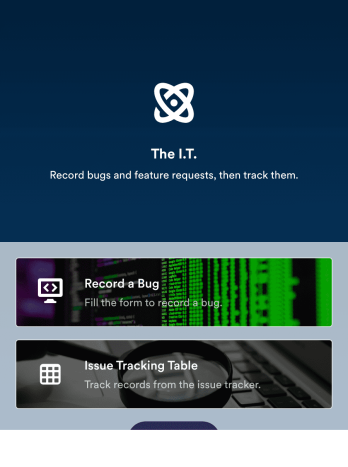
Bug Tracker App
A bug tracker app is used by IT professionals to record bugs and track technical issues on the go. With Jotform’s free Bug Tracker App, your IT department can enjoy a more seamless way to track and manage bugs on any device! You can enter the bug type, add a description of the bug, upload photos or screenshots, and input URLs to keep a complete log and address issues with your team.Drag and drop to make changes to this app template without coding. Feel free to add images or upload your company logo, add more forms or spreadsheets, and update other design elements like app icon, background, and font type. Then share your custom Bug Tracker App with members of your team to download onto their smartphone, tablet, or computer and gather data on the go.
Go to Category:Tracker AppsAbout Information Technology Apps
Inspection Apps are specialized mobile or web apps designed to streamline the process of conducting inspections across various industries. These apps enable businesses to perform tasks such as safety inspections, quality control checks, and regulatory compliance audits with greater efficiency and accuracy. Industries like manufacturing, construction, and logistics rely heavily on inspection apps to ensure that their operations adhere to industry standards and government regulations. By using inspection apps, companies can manage their workflows more effectively, reduce manual paperwork, and achieve higher levels of operational excellence.
Jotform Apps serve as a robust no-code app builder that empowers organizations to create custom inspection apps tailored to their specific needs. Leveraging Progressive Web App (PWA) technology, these apps can be installed directly from a web browser, meaning there's no need for an App Store download. This ensures that the apps are readily accessible across iOS, Android, tablet, and desktop devices. Furthermore, Jotform's centralized data system, Jotform Tables, provides a seamless way to manage and analyze inspection data, facilitating a more integrated approach to workflow management.
Why Use Inspection Apps?
- Inspection apps significantly enhance the accuracy and speed of data collection during inspections. They minimize human error by automating data entry and ensure that all information is captured in a standardized manner, which is crucial for compliance and auditing processes.
- These apps provide real-time data access and sharing capabilities, allowing teams to collaborate more effectively. Whether on-site or remote, team members can instantly access inspection data, enabling quicker decision-making and problem resolution.
- By eliminating the reliance on paper forms, inspection apps contribute to sustainable business practices and reduce operational costs. The digital nature of these apps ensures that all inspection records are stored securely in the cloud, reducing the risk of data loss.
- Customizable workflows within inspection apps allow businesses to tailor processes to their unique operational needs, leading to improved efficiency and productivity. This adaptability is key for organizations that need to comply with specific industry regulations or standards.
- The integration capabilities of inspection apps with other business systems mean that data collected can be seamlessly incorporated into broader business intelligence and reporting tools. This ensures a comprehensive view of operational performance and supports data-driven decision-making.
Common Problems Solved by Inspection Apps
- One major challenge industries face is maintaining compliance with regulatory standards. Inspection apps address this by providing structured workflows that ensure all necessary checks are performed and documented accurately.
- Managing large volumes of inspection data can be cumbersome and prone to errors when done manually. With inspection apps, all data is digitized and centralized, making it easy to track, analyze, and report on inspection activities.
- In highly regulated industries, the risk of non-compliance due to incomplete or inaccurate inspection records can lead to significant financial penalties. Inspection apps mitigate this risk by ensuring that all inspection activities are logged with time-stamped records.
- Coordinating inspection activities across multiple sites or teams can lead to communication gaps and inconsistencies. Inspection apps facilitate seamless communication and data sharing among team members and stakeholders, ensuring everyone is on the same page.
- Traditional inspection methods often lack the agility needed to adapt to changing regulations or operational needs. Inspection apps offer flexible, customizable workflows that can be quickly updated to meet new requirements, ensuring ongoing compliance and efficiency.
Matching Use Cases to Features
- For industries requiring frequent updates and changes in inspection workflows, the Drag-and-Drop Interface of Jotform Apps allows for rapid customization. This feature enables businesses to adapt their inspection processes swiftly, ensuring they remain compliant with evolving regulations.
- When conducting inspections in remote areas with limited connectivity, offline mode, available via Mobile Forms, ensures that data collection can continue uninterrupted. This feature ensures that all inspection data is captured accurately, regardless of location.
- The need for instant communication and updates is critical in fast-paced environments. Push Notifications within Jotform Apps help keep all team members informed of important inspection updates or changes, enhancing communication and coordination.
- Security and restricted access are often necessary for sensitive inspection data. Jotform Apps offer Publish Options such as Public, Private, and Company-only, allowing businesses to control who can access their inspection data and reports.
- Sharing inspection results with stakeholders is streamlined through various Sharing Methods like Direct Link, Email, QR Code, and Social Media. This flexibility ensures that inspection reports can be disseminated quickly and efficiently to all relevant parties.
- For companies needing to process payments related to inspection services, Payment Integrations with platforms like Stripe and PayPal facilitate secure and seamless transactions directly within the app. This capability supports a more complete and efficient inspection service offering.
- Workflow Automation in Jotform Apps enables businesses to automate repetitive inspection tasks, reducing manual effort and increasing operational efficiency. This feature ensures that inspection processes are consistent and reliable.
How to Create an Inspection App
- Choose a category-relevant template from the Template List or start from scratch.
- Customize using the Drag-and-Drop Interface.
- Share via Link, QR Code, or Embed.
Top Use Cases for Inspection Apps
- For Managers: Managers benefit greatly from inspection apps as they provide a centralized view of all inspection activities across the organization. This enhanced visibility allows managers to monitor compliance and operational efficiency in real-time, facilitating informed decision-making. The data analytics capabilities of these apps enable managers to identify trends and areas for improvement, supporting strategic planning and resource allocation.
- For Teams: Inspection apps empower teams by providing them with the tools they need to perform their duties efficiently and accurately. Team members can access inspection checklists, submit reports, and communicate with colleagues, all from a single platform. This streamlines workflows and reduces the likelihood of errors, ensuring that inspections are conducted thoroughly and consistently.
- For Customers: Customers benefit from the transparency and reliability that inspection apps offer. With instant access to inspection reports and results, customers can be assured of the quality and safety of products or services. This transparency builds trust and strengthens customer relationships, as clients can see first-hand the commitment to quality and compliance.
Summarizing Inspection Apps
Inspection apps are invaluable for businesses looking to enhance their operational efficiency and compliance. By digitizing and automating inspection processes, these apps reduce the potential for human error, ensure the accuracy of inspection data, and facilitate better communication among stakeholders. The ability to customize workflows to meet specific industry needs further underscores their versatility and value. Overall, inspection apps represent a significant step forward in how businesses manage and execute their inspection activities.
Frequently Asked Questions
1) Is it free to create and use Information Technology apps on Jotform?
Yes, Jotform offers a Starter plan that allows users to create and use Information Technology apps for free. This plan provides access to a range of features, enabling businesses to explore the capabilities of Jotform Apps without any financial commitment. Users can upgrade to paid plans as their needs grow, gaining access to additional features and increased limits.
2) Are the data and payments collected through the app secure?
Yes, data and payments collected through Jotform Apps are secure. Jotform adheres to strict security standards, including GDPR compliance, to ensure that all user data is protected. Payment integrations, such as Stripe and PayPal, are equipped with industry-leading security protocols to safeguard financial transactions.
3) Do I need any coding skills to create an Information Technology App with Jotform?
No, you do not need any coding skills to create an Information Technology app with Jotform. The platform is designed with a user-friendly, no-code interface, allowing users to build and customize apps using a simple Drag-and-Drop Interface. This accessibility enables anyone, regardless of technical expertise, to create functional and professional apps.
4) Can I collect payments for services directly through the app?
Yes, you can collect payments for services directly through the app using Jotform's payment integrations. The platform supports various payment gateways, including Stripe and PayPal, providing flexibility and security for handling transactions. This feature is particularly beneficial for businesses that require seamless and reliable payment processing.
5) Does Jotform support offline data collection for Information Technology apps?
Yes, Jotform supports offline data collection for Information Technology apps through its Mobile Forms feature. This capability allows users to collect data even without an internet connection, ensuring that operations can continue uninterrupted. Once connectivity is restored, the data is automatically synced, maintaining data consistency.
6) Are Jotform Apps compatible with both iOS and Android devices?
Yes, Jotform Apps are compatible with both iOS and Android devices. As Progressive Web Apps, they can be installed via a browser, eliminating the need for app store downloads. This compatibility ensures that users can access their apps on a wide range of devices, enhancing flexibility and accessibility.
7) How can Information Technology Apps improve project management in tech firms?
Information Technology Apps improve project management in tech firms by offering centralized platforms for task coordination and communication. Features such as workflow automation and real-time updates ensure that all team members are aligned and informed, leading to more efficient project execution and timely delivery.
8) Can Information Technology Apps be customized to fit specific business needs?
Yes, Information Technology Apps can be customized to fit specific business needs using Jotform's Drag-and-Drop Interface. This customization allows businesses to tailor app functionalities to align with their unique operational requirements, ensuring that the app provides maximum value and efficiency.