Homework Submission App

A homework submission app is a type of mobile application used by educators to collect student homework assignments. Build your own custom Homework Submission App with Jotform Apps. List your courses, add homework submission forms, set up automated responder emails, and streamline your own overall grading process.
Customize the look and feel of your Homework Submission App by using our drag-and-drop app builder. Add or remove forms, change your app’s color scheme and font, select a unique app icon, include helpful form elements, add our Card element to organize your app, and so much more. Once you’re satisfied with your app, simply share it with your students to start collecting homework assignments on any device.
Math Quiz App
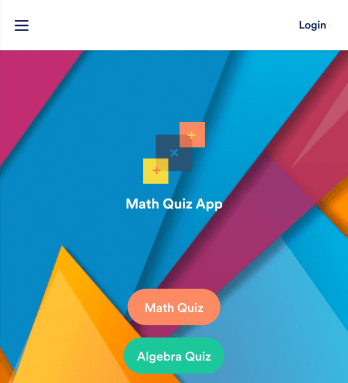
Create math quizzes for your students and share them in a free, downloadable app with Jotform. Whether you’re a math teacher or tutor, make quizzes that can be filled out seamlessly on any device — including computers, tablets, or smartphones — to gather responses instantly online. This ready-to-use app provides you with premade quizzes that calculate the submitter's results automatically. You can add your own quizzes or change the existing ones to get started. Once you are done, share the app with your quizzers. Submissions are stored in your secure account and ready to view in Jotform Tables or turn into reports using Jotform Report Builder.Customize this Math Quiz App template with our drag-and-drop builder. Change the app icon or splash screen, add new quizzes or update existing ones, and include as many links, documents, and images as you like. You can even set up calculations to calculate each student’s grade automatically! Save time and paper with a free Math Quiz App from Jotform.
Go to Category:Education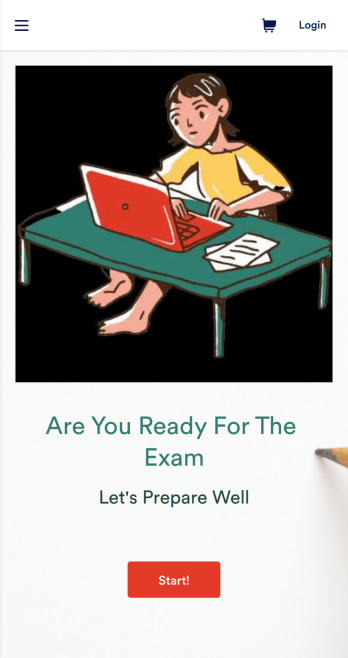
Exam Preparation App
Whether you’re a teacher or a tutor, help students prepare for their exams with Jotform’s free Exam Preparation App. This fully customizable mobile app includes an exam registration form, sample exam questions, and contact buttons for students to easily access from any computer or mobile device. All submissions will be instantly synced to your Jotform account — ready to view, download, share, and approve.You won’t need to take a coding class to customize this Exam Preparation App. Simply drag and drop to add forms, images, documents, links, buttons, pages, and other app elements. Then share your app with students by posting the app link on your website or sending email invites to newly registered students. With a fully custom Exam Preparation App your students can easily access from any device, you can ensure they’ll be ready for their next exam!
Go to Category:Course & Training Registration Apps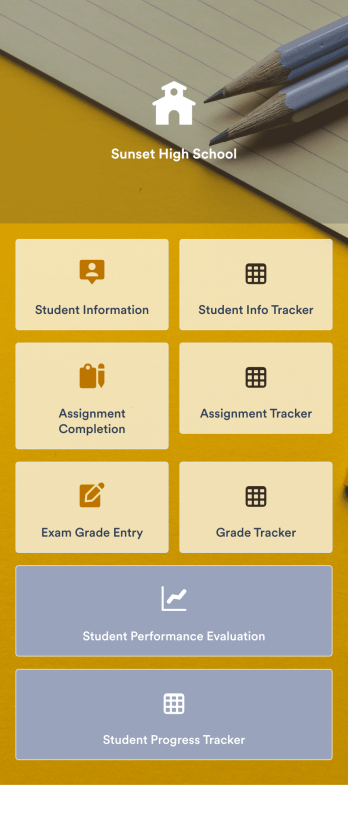
Assignment Tracking App
An assignment tracking app is used by teachers as an all-in-one classroom app for keeping track of students’ assignments and assessments. With Jotform’s Assignment Tracking App, teachers can record student information, completed assignments, test scores, and performance evaluations. Form submissions are automatically compiled in a companion spreadsheet, where teachers can sort, filter, and search through grades and test scores in an easy-to-understand format from any device.This app template works right out of the box, but you can easily customize it to meet your classroom’s needs with our intuitive app builder. No coding necessary — just drag and drop to add or swap out form elements, edit individual forms, upload images and documents, choose a custom app icon and splash screen, and more. When you’re done, you can access and download your very own app on any smartphone, tablet, or desktop for ease of use. Ditch the paperwork and manage your classroom from a single app with this fully-customizable Assignment Tracking App from Jotform!
Go to Category:Education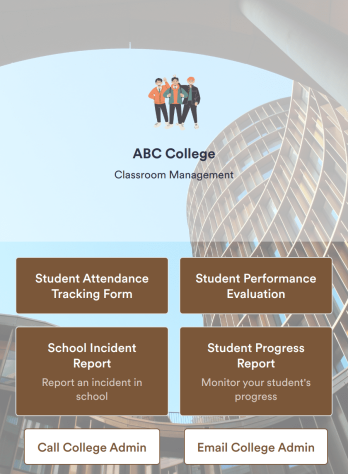
Classroom Management App
A classroom management app is used by schools and educational institutions for recording students’ attendance and progress. This all-in-one Classroom Management App contains four useful forms: teachers can mark attendance with a Student Attendance Tracking Form, record student progress with a Student Progress Report Form, keep track of student evaluations with a Student Performance Evaluation Form, and report incidents with a School Incident Report Form.This app template can be easily customized to suit your school or classroom’s particular needs. Using our drag-and-drop interface, you can add or swap out form elements, change text, choose fonts and colors, upload images, and more — all without any coding. After you’re done, you can share your app with a link or embed it in an internal website for teachers to access and download on any device. Stay on top of your students’ progress and performance with this free Classroom Management App from Jotform.
Go to Category:Classroom Management Apps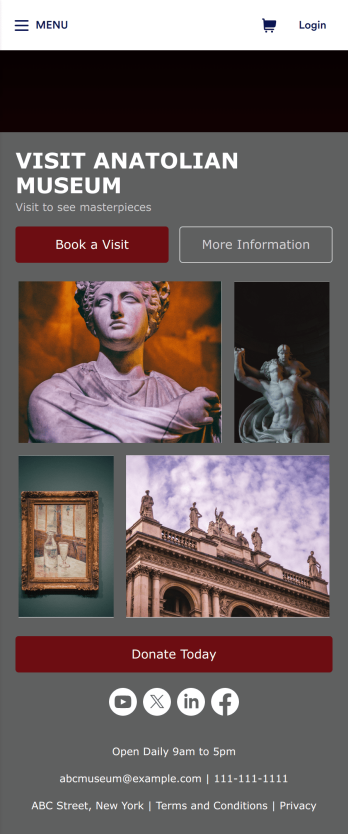
Museum App
A museum app makes it easier for visitors or members to book visits, submit donations, and more. Whether you manage a natural history museum, science center, or art gallery, make a mobile app for your museum with Jotform’s free Museum App. This customizable app template includes a homepage with a booking form and donation form, as well as menu pages containing exhibit details and FAQs. Visitors can easily download the app onto their computer or mobile device, so they can schedule their visits, pay for tickets, give donations, and submit feedback no matter where they are.Customize this Museum App for your museum or gallery in just a few clicks. With Jotform’s drag-and-drop builder, you won’t need to do any coding to add or remove forms, update text and images, upload logos, and include other app elements such as links, documents, or tables. Once your app is ready to use, share it on your museum website or social media accounts for visitors to save onto their own devices. With a fully-custom Museum App, you’ll make it easier for visitors to plan their next visit, helping to increase museum attendance!
Go to Category:Booking Apps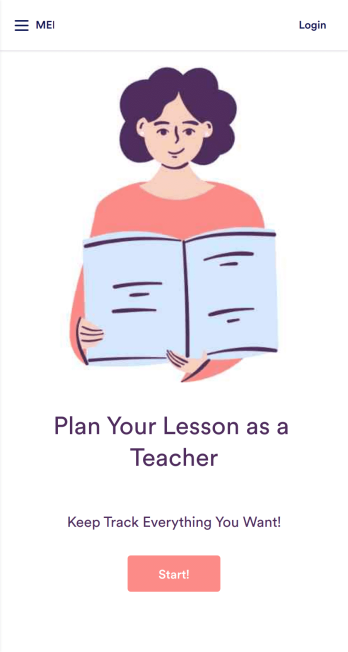
Lesson Planner App
Create and manage your classroom lesson plan with this free Lesson Planner app from Jotform. Download this app onto any device and start adding courses, start and end dates, lesson titles and objectives, tasks, resources, and more. There are also separate forms for entering student information and creating daily assignment checklists. Submissions are aggregated and stored in a color-coded and easy-to-understand spreadsheet using Jotform Tables.Want to make changes to this Lesson Planner App? No problem! With Jotform’s no-code app builder, you can build a custom app that meets your classroom’s needs in seconds. Simply drag and drop to add or change form elements, edit text fields and checklist items, install integrations and widgets, change fonts and colors, and more. When you’re done, you can access and download your app onto any smartphone, tablet, or desktop and start using it right away. Manage all your lesson plans and assignments from a single location with this mobile-friendly Lesson Planner App.
Go to Category:Daily Planner Apps