

Classroom Management Apps

Classroom Management App
A classroom management app is used by schools and educational institutions for recording students’ attendance and progress. This all-in-one Classroom Management App contains four useful forms: teachers can mark attendance with a Student Attendance Tracking Form, record student progress with a Student Progress Report Form, keep track of student evaluations with a Student Performance Evaluation Form, and report incidents with a School Incident Report Form.This app template can be easily customized to suit your school or classroom’s particular needs. Using our drag-and-drop interface, you can add or swap out form elements, change text, choose fonts and colors, upload images, and more — all without any coding. After you’re done, you can share your app with a link or embed it in an internal website for teachers to access and download on any device. Stay on top of your students’ progress and performance with this free Classroom Management App from Jotform.
Go to Category:Classroom Management Apps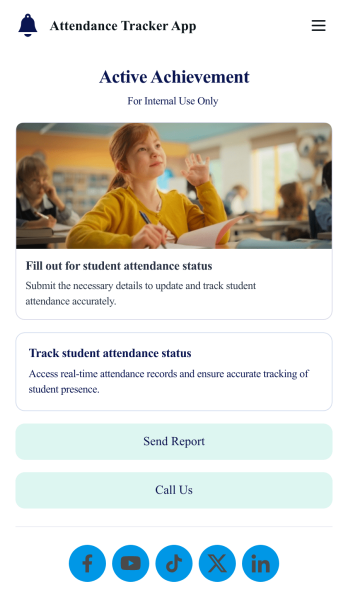
Custom Attendance Tracker App
An attendance tracker app is used by teachers or managers to track attendance for their classroom or company. With Jotform’s free Attendance Tracker App, you can download the app onto your computer, smartphone, or tablet to easily track attendance online. Just fill out the forms to log attendance details, and access your records in a spreadsheet or calendar using Jotform Tables.Need to change elements of this app template? Upload your logo, add or remove forms, include helpful links, and change the app background or icon to get the exact design you need — with no coding knowledge required. Once you’ve used our drag-and-drop builder to customize your app, share it with a link to be downloaded onto any device. Track attendance more efficiently with a free Attendance Tracker App!
Go to Category:Classroom Management Apps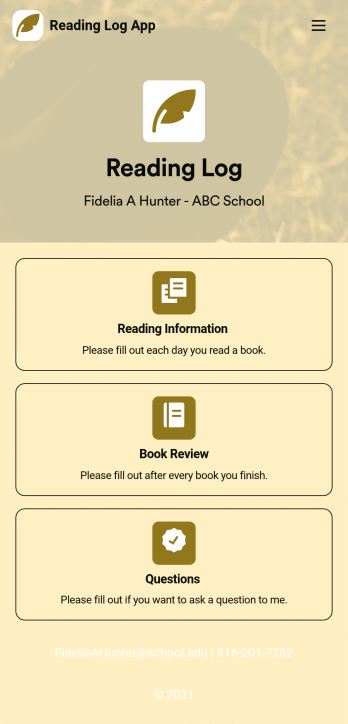
Reading Log App
As a teacher, staying on top of your students’ reading habits can be a headache. So why not create one central place to keep track of it all? With this Reading Log App, teachers can easily track, monitor, and review students’ assigned reading progress. This ready-to-use template also comes with a place for your students to send questions, and a digital signature form for parents to sign off on readings. This app works in tandem with our Reading Log Template, which allows you to easily sort through entries in a searchable spreadsheet.Want to customize this Reading Log App and make it your own? With our simple drag-and-drop interface, you can add or change forms, choose fonts and colors, update the app name or text, and more — all with zero coding. Once you’re satisfied with the look and feel of your app, simply share the link through email and have your students start filling out their assigned readings from any smartphone, tablet, or desktop. Make your job outside of the classroom easier with this customizable Reading Log App!
Go to Category:Classroom Management Apps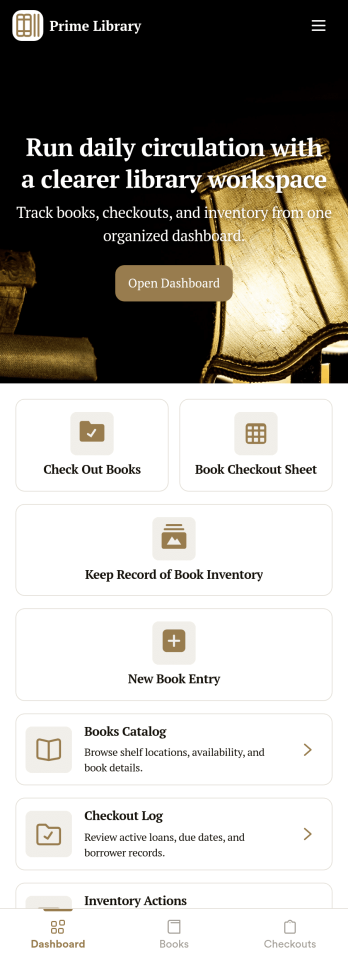
Library Management App
A library management app is used by libraries for library management and inventory purposes. Jotform’s Library Management App makes it easy to quickly fill out a form documenting book title, author, and serial number to keep an accurate record of books checked out by library patrons. A separate form allows librarians to enter incoming book orders into an inventory system. This app comes bundled with companion spreadsheets for each form, giving you an easy-to-understand overview to help you manage your library at a glance.Make this app template your own in seconds with Jotform’s no-code app builder. You don’t need to have any coding or design background — just drag and drop to add or change form elements, edit form text and fields, upload images, add documents, and more. Once you’re done customizing, download your app on any smartphone, tablet, or desktop in your library and start checking out books right away. Manage your library from any device using a single app with our readymade Library Management App.
Go to Category:Management Apps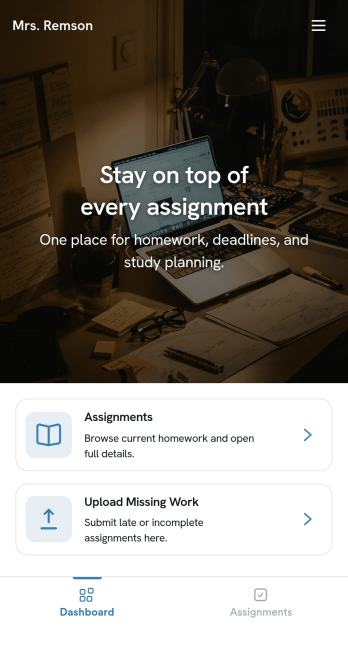
Homework Management App
A homework management app is used by teachers to collect homework assignments from their students. Give your students an easier way to submit homework for your remote or in-person classroom with a free Homework Management App from Jotform. Students can upload documents through the app’s homework or missing assignment forms, which you can view easily on any device from your secure online account.Need to make changes to this app template? Add or remove forms, update the app icon or background, include important information for your classroom, or add helpful links with no coding required. You can then copy and paste the app link to share your custom Homework Management App with your students, who can download it onto their computer, tablet, or smartphone to submit their homework instantly.
Go to Category:Classroom Management Apps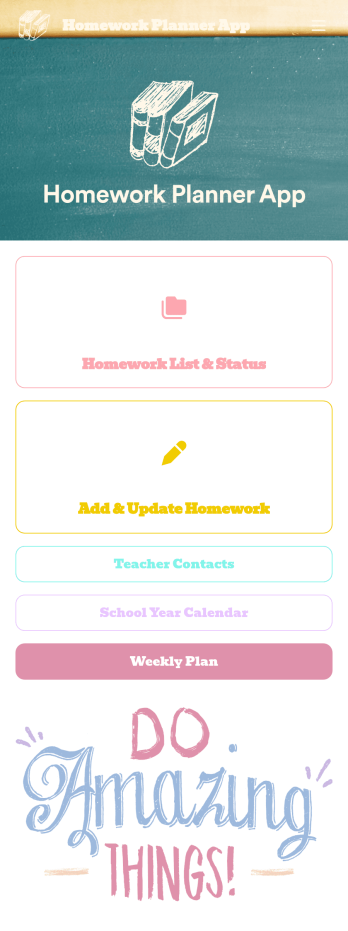
Homework Planner App
A homework planning app is a mobile application created by teachers and educators to help their students keep track of assignments and due dates. Use this ready-made Homework Planner App template from Jotform Apps to create your own in just a few easy clicks. Keep students updated on upcoming assignments, collect homework, list your office hours, and more.Want to make changes to how this Homework Planner App looks? No problem. With Jotform’s drag-and drop builder, you can add or remove forms, pick a background image, change font types, upload images and videos, select a unique app icon, and more. After you’re done customizing your app, simply embed it in your website or online portal for students to download.
Go to Category:Planner Apps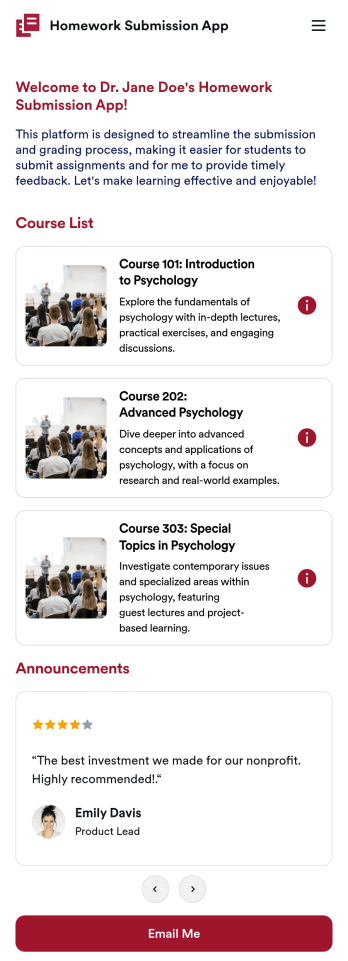
Customizable Homework Submission App
A homework submission app is a type of mobile application used by educators to collect student homework assignments. Build your own custom Homework Submission App with Jotform Apps. List your courses, add homework submission forms, set up automated responder emails, and streamline your own overall grading process.Customize the look and feel of your Homework Submission App by using our drag-and-drop app builder. Add or remove forms, change your app’s color scheme and font, select a unique app icon, include helpful form elements, add our Card element to organize your app, and so much more. Once you’re satisfied with your app, simply share it with your students to start collecting homework assignments on any device.
Go to Category:Classroom Management Apps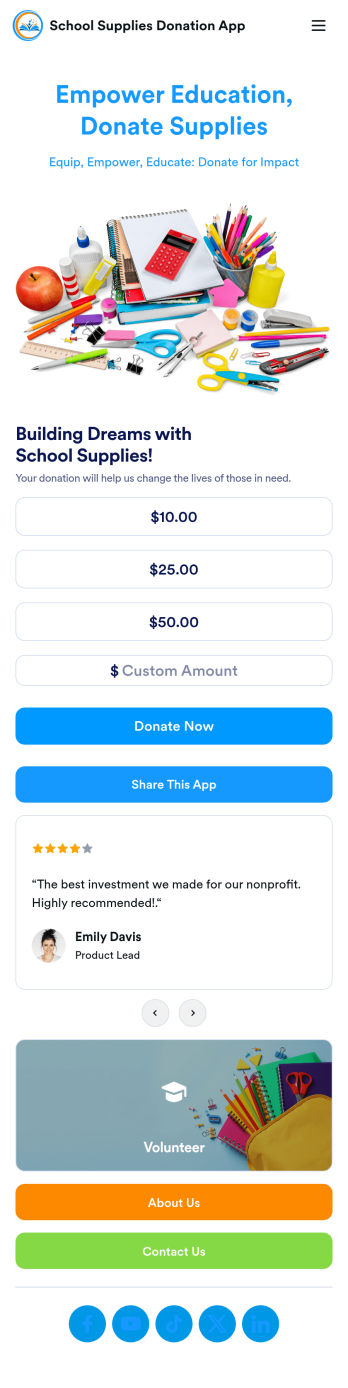
School Supplies Donation App
Empower your educators and their students with this free School Supplies Donation App from Jotform — fully customizable with no coding knowledge needed. Collect donations for much needed school supplies with our handy Donation Box element, gather volunteer signups for your next school wide event, and so much more with this handy app.Feel free to customize your app by uploading your school’s mascot or logo, switching up colors and fonts, editing letter text, and more. You can even include a progress bar to track donations and see how far you are from your goal. After you’ve finalized your School Supplies Donation App, simply share it with your audience via QR code, direct link, or by embedding it into your online school portal or website.
Go to Category:Community & Engagement Portal Apps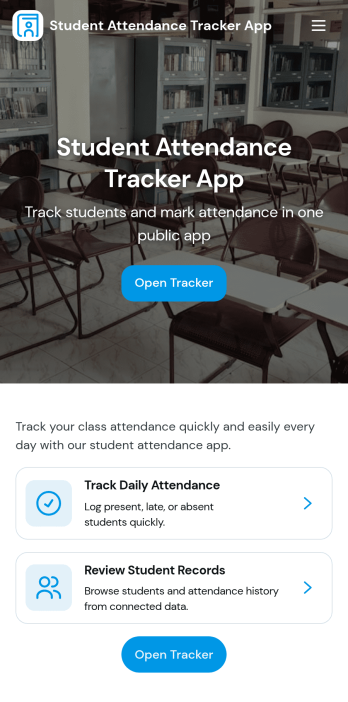
Student Attendance Tracker App
Student Attendance Tracker App helps schools and educators record daily presence, keep a clear student list, and review attendance records in one place. Use it to quickly navigate between Students, Attendance, and Records pages, log attendance as classes start, and pull up an individual student’s details when you need context for follow-ups. It’s a practical fit for teachers, homeroom advisors, after-school coordinators, and administrators who want consistent attendance tracking across periods, programs, or campuses without relying on paper sheets.With Jotform, you can turn this app template into a branded, shareable self-service experience using a no-code app builder and a drag-and-drop interface. Connect the app to your attendance form and underlying data collection so updates flow into organized records, then tailor pages, buttons, and navigation to match your schedule and policies. Share the app by link for fast access on any device and keep your workflow simple for staff members who need to log and review attendance throughout the day.
Go to Category:School Management Apps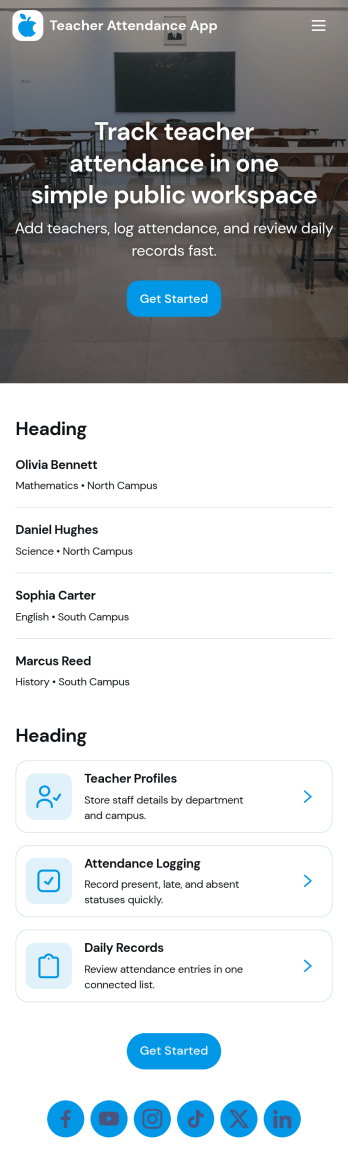
Teacher Attendance App
Teacher Attendance App helps schools and education programs track daily classroom attendance in one place, from taking attendance to reviewing past records. It’s a practical fit for teachers, substitute teachers, department leads, and school administrators who need a consistent routine for logging attendance, keeping a clean student roster, and reducing missed entries. With quick navigation to take attendance, view students, and check records, the app supports smoother mornings, more accurate reporting, and fewer manual spreadsheets.Jotform offers app templates like this one you can tailor to your process using a no-code app builder and a drag-and-drop interface. Connect the app to forms and data collection so attendance logs and roster updates stay organized, searchable, and easy to manage over time. Share your Jotform app with staff through a link or QR code, keep workflows moving with simple actions and pages, and update the experience anytime without writing code.
Go to Category:School Management Apps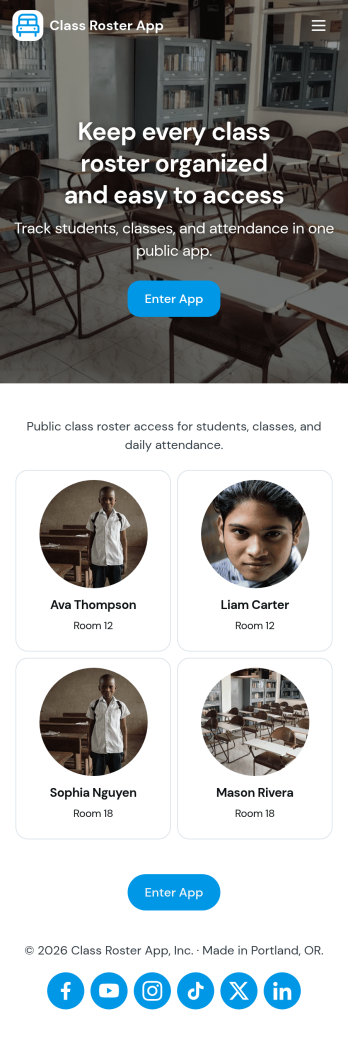
Class Roster App
Class Roster App helps teachers and academic staff keep a clear, up-to-date view of who is in each class and what is happening day to day. Use it to browse a student list, open individual student details, add new students as enrollment changes, and record attendance without jumping between scattered spreadsheets or paper notes. It’s a practical fit for K–12 classrooms, tutoring centers, after-school programs, and small training groups where rosters shift and quick access matters.With Jotform, you can turn this class roster app template into a mobile-friendly hub that supports self-service data collection and simple workflows. Customize pages with a drag-and-drop interface, connect buttons to forms for adding students or attendance, and keep records organized in one place. Share the app by link or QR code, collaborate with other instructors, and update the layout and branding anytime using Jotform’s no-code app builder.
Go to Category:Classroom Management Apps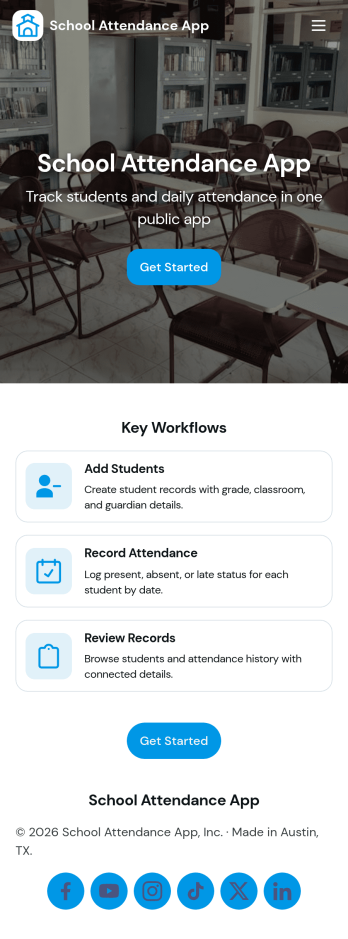
School Attendance App
School Attendance App helps schools take daily attendance, keep organized records, and follow up on absences without juggling paper rosters or scattered spreadsheets. Use it to quickly mark attendance, review individual student entries, and keep absence notes in one place, making it easier to spot patterns like frequent tardiness or repeat absences. It’s a practical fit for teachers, homeroom advisors, front offices, and school administrators who need a consistent routine for tracking presence across classes, dates, or student groups.Built with Jotform, this app template can be customized with a no-code app builder and a drag-and-drop interface so your team can match the layout to your attendance process. Connect it to forms for data collection, route updates through a simple workflow, and share a self-service link with staff who need access. As your needs change throughout the school year, you can update pages, add fields, and keep attendance information easy to find and manage from anywhere.
Go to Category:School Management Apps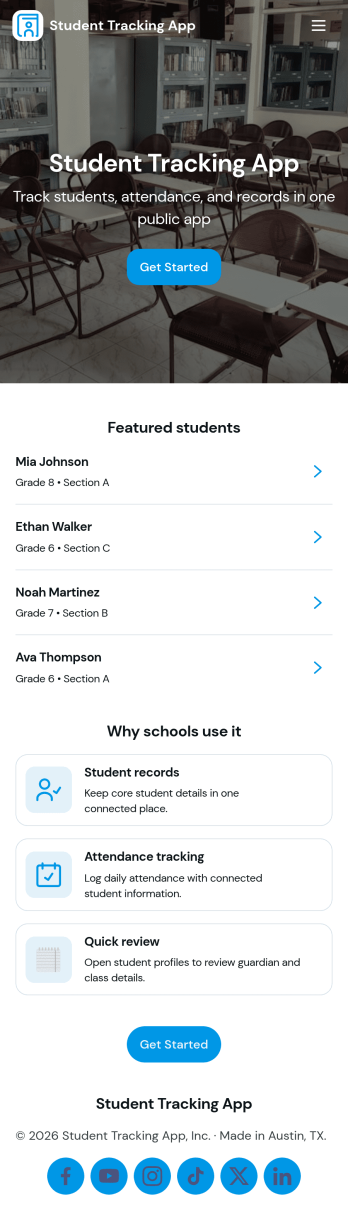
Student Tracking App
A student tracking app brings key classroom details into one place so educators can keep up with who is enrolled, who is attending, and what progress notes have been recorded. This template organizes a student roster you can browse into individual student details, then connects that view to an attendance log and academic notes so patterns are easier to spot over time. It fits K–12 classrooms, tutoring centers, after-school programs, and small academic teams that need a simple way to stay consistent with recordkeeping without digging through scattered spreadsheets or paper binders.Jotform makes it easy to turn this Student Tracking App into a working, shareable experience using App Templates and a no-code app builder. With a drag-and-drop interface, you can adjust navigation, add or remove pages, and connect the app to forms and tables for ongoing data collection and workflow needs. Share the app as a self-service hub for staff, keep attendance entries organized, and maintain up-to-date student information as your program changes throughout the year.
Go to Category:School Management Apps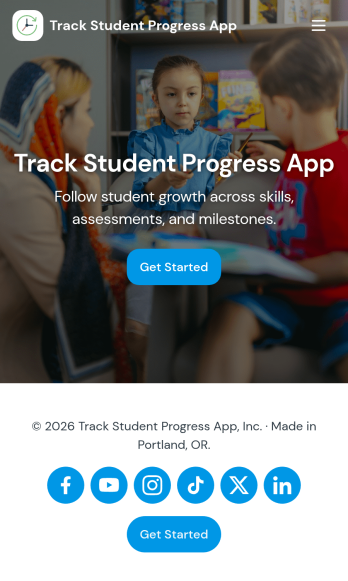
Track Student Progress App
Track Student Progress App helps educators and academic teams monitor learner growth in one place, using a roster view for quick navigation and progress logs to capture updates over time. It works well for classroom teachers, tutors, special education staff, and program coordinators who need a reliable way to review student profiles, record subject-level notes, and quickly see who is on track versus who needs support.With Jotform, you can turn this workflow into a shareable self-service app experience without coding. Use a no-code app builder with a drag-and-drop interface to connect forms for data collection, keep records organized, and support a consistent workflow for adding students and logging progress. Publish the app as a simple link for staff access, then refine the layout, branding, and pages as your tracking process evolves.
Go to Category:Classroom Management Apps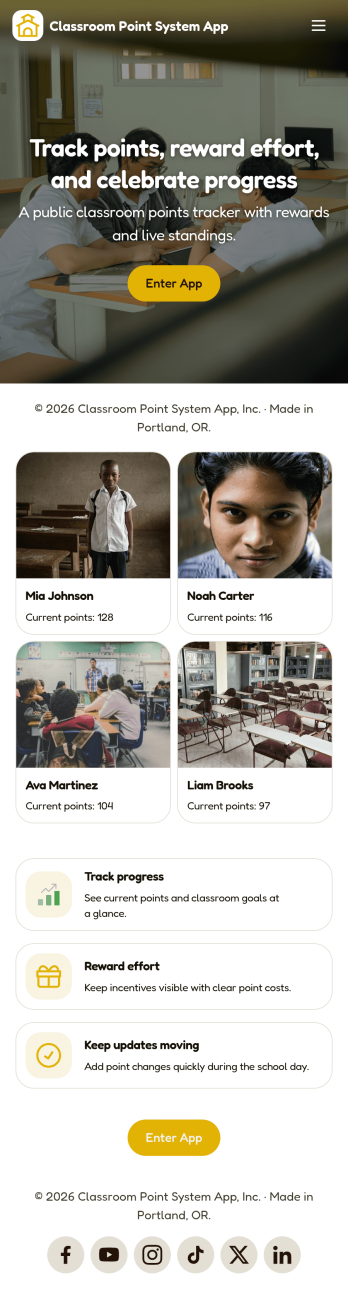
Classroom Point System App
Classroom Point System App helps teachers track student points for behavior, participation, and classroom goals in one place. Use it to keep a student list, quickly add points during lessons, and keep motivation high with a simple leaderboard students can understand. It works well for elementary classrooms, middle school teams, after-school programs, tutoring centers, and anyone using PBIS-style incentives or class rewards who wants a clear, consistent way to recognize positive actions.Built with Jotform, this app template is easy to tailor with a no-code app builder and a drag-and-drop interface, so you can match your rules and routines without technical work. Connect the app to your data collection forms for adding students and recording points, keep records organized, and share the self-service experience with co-teachers or support staff. Jotform makes it simple to publish updates fast and manage your classroom workflow from anywhere.
Go to Category:Classroom Management Apps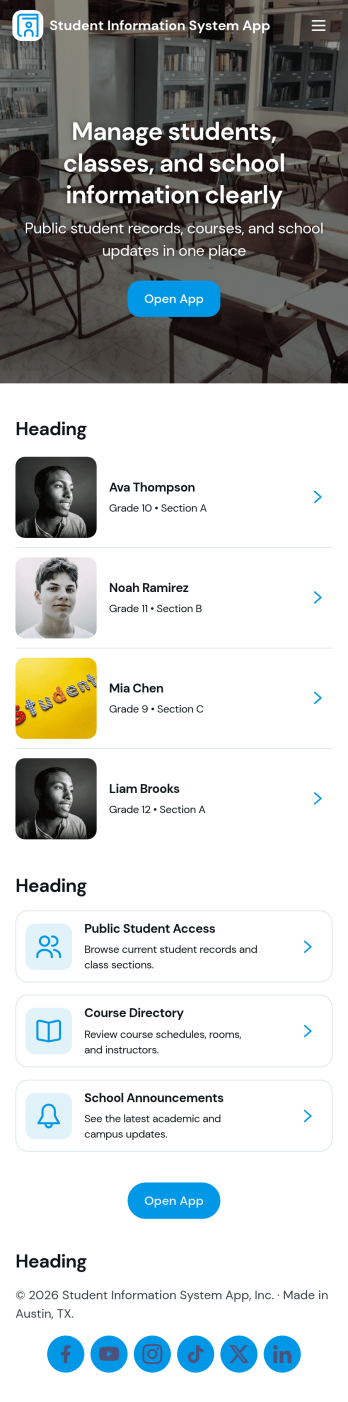
Student Information System App
Student Information System App brings key student records into one place so schools and education programs can keep day-to-day details organized without juggling spreadsheets. Use it to browse a student list, complete student registration, and capture ongoing updates like attendance and grades as the term progresses. It’s a practical fit for admins, registrars, coordinators, and teachers who need quick access to current information for classes, advising, and student support.Built with Jotform, this app template helps you turn data collection into a connected workflow using a no-code app builder and a drag-and-drop interface. Link your forms to lists so records stay easy to find, add navigation buttons for faster self-service across pages, and share the app with your team using a simple link. As needs change, you can adjust the layout, update fields, and keep information flowing to the right place with Jotform’s flexible app templates.
Go to Category:School Management Apps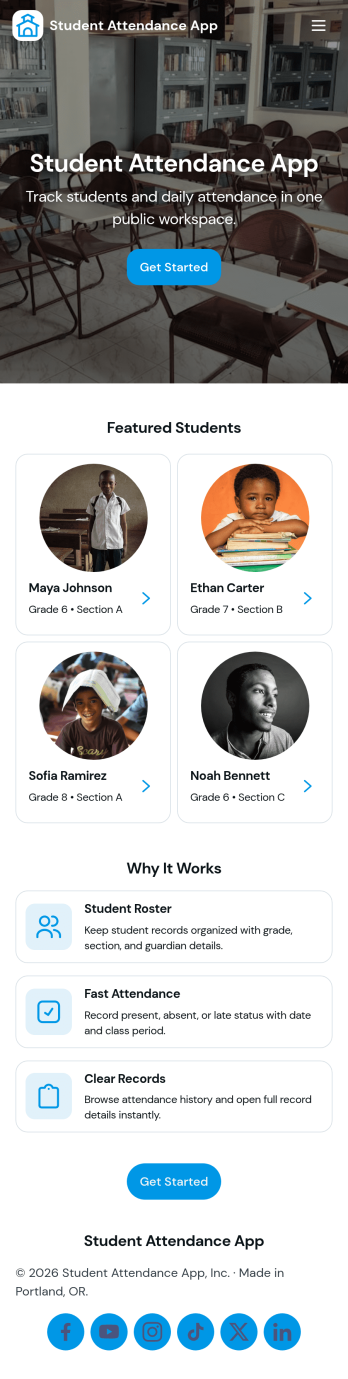
Student Attendance App
Student Attendance App helps schools and instructors track who is present each day without relying on paper rosters or scattered spreadsheets. Use it to register students, take attendance during class, and pull up records when you need a quick answer for participation checks, follow-ups, or internal reporting. It’s a practical fit for K–12 classrooms, tutoring centers, after-school programs, and small academies that want a consistent routine for student check-ins and easy access to guardian contact details.With Jotform, you can turn attendance tracking into a simple self-service workflow using App Templates and a no-code app builder. Customize pages with a drag-and-drop interface, connect the app to forms and tables for data collection, and keep your workflow organized from registration through record viewing. Share the app with staff through a link or QR code so attendance can be recorded from any device, whether you’re in a classroom, hallway, or on a field trip.
Go to Category:Classroom Management Apps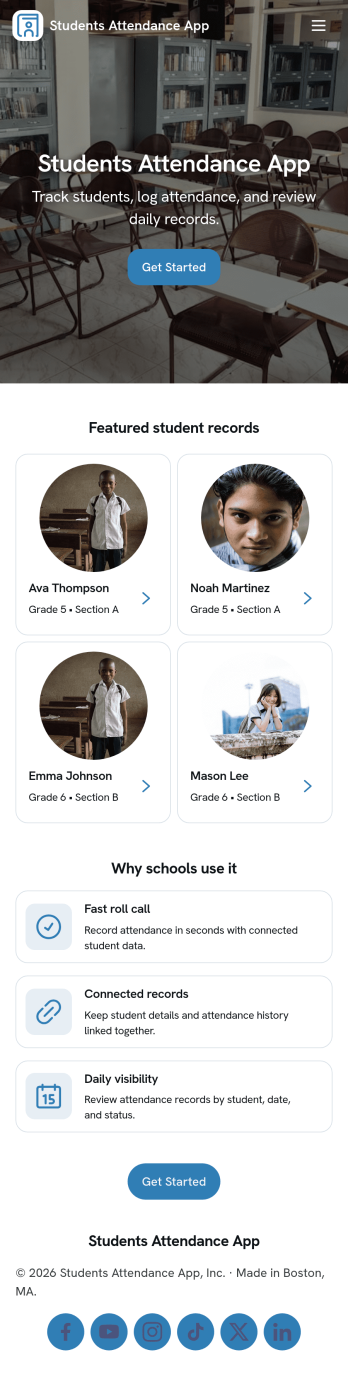
Students Attendance App
Students Attendance App helps teachers and school staff record daily attendance, keep student details organized, and review participation over time from one place. Use it to register students, quickly mark attendance during class, and open attendance records when you need to check patterns for a specific learner. It fits homerooms, after-school programs, tutoring centers, and training groups where consistent tracking matters and paper rosters slow everyone down.Jotform makes it easy to turn this app template into a polished workflow with a no-code app builder and a drag-and-drop interface. Connect the app to your forms and data tables so new registrations and attendance entries stay structured, searchable, and ready for reporting. Share the app with staff for fast self-service updates, customize the pages to match your process, and keep your attendance workflow simple from any device.
Go to Category:School Management Apps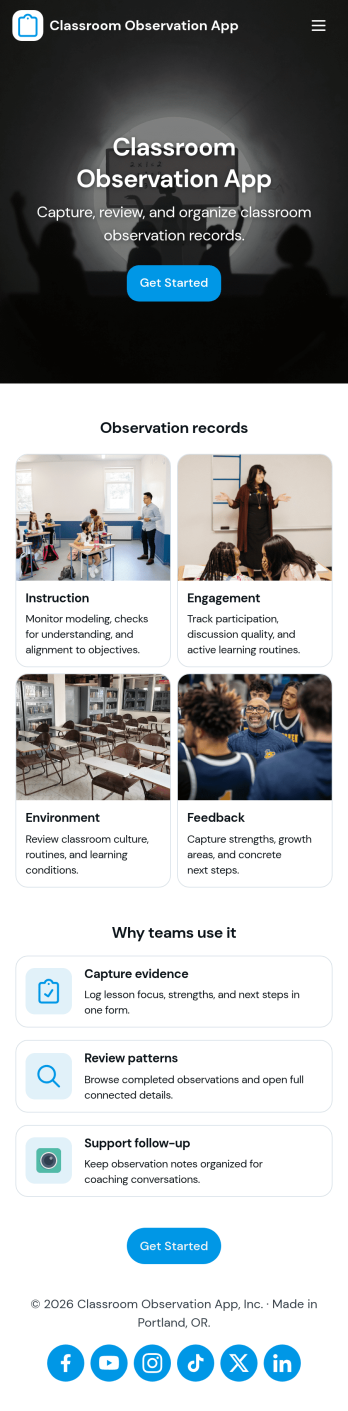
Classroom Observation App
Classroom Observation App helps schools and instructional teams capture consistent, timely classroom visit notes and turn them into organized records. It’s a practical fit for principals, assistant principals, instructional coaches, department heads, and mentor teachers who need a repeatable way to document what they see, from lesson flow and student engagement to classroom routines and instructional strategies. With a clear entry point to log an observation and a dedicated area to review observations, the app supports quick documentation during walk-throughs and more thoughtful write-ups after the visit.Built with Jotform, this app template combines a guided observation logging experience with a simple way to browse recent observation records in one place. Using Jotform’s no-code app builder and drag-and-drop interface, you can tailor the observation form, adjust what appears in your observations list, and share the app as a self-service tool for your observation team. As entries are collected, your workflow stays more consistent and searchable, making it easier to track patterns over time and keep observation documentation accessible.
Go to Category:Education Apps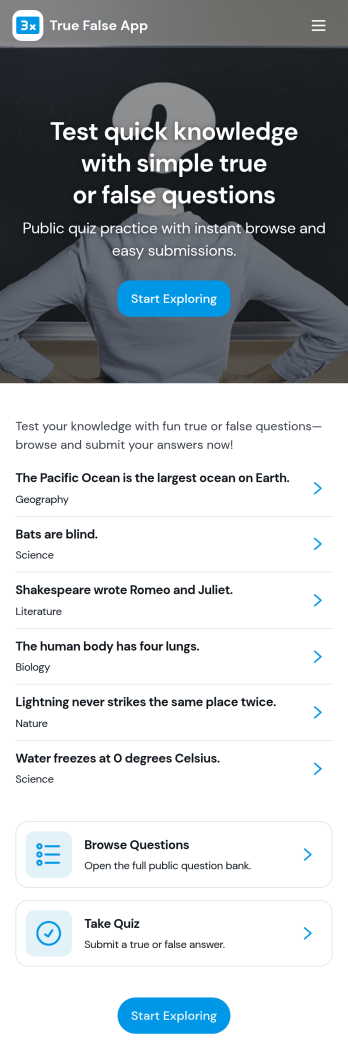
True False App
True False App helps you run quick true or false quizzes for classrooms, training sessions, events, or just for fun. Participants can start the quiz, answer each prompt with a simple True or False button, and then review what they selected in My Answers. It’s a practical fit for teachers, tutors, trainers, youth leaders, and team managers who want an easy way to check understanding, warm up a group, or add a lightweight knowledge check without turning it into a full exam.With Jotform, you can turn this app template into a branded, self-service quiz experience using a no-code app builder and a drag-and-drop interface. Connect the quiz to a form for data collection, keep a running history of attempts, and show a clear results summary that’s easy to understand at a glance. As your workflow evolves, you can customize pages, update prompts, and share the app with a link so your audience can play again anytime.
Go to Category:Quiz Apps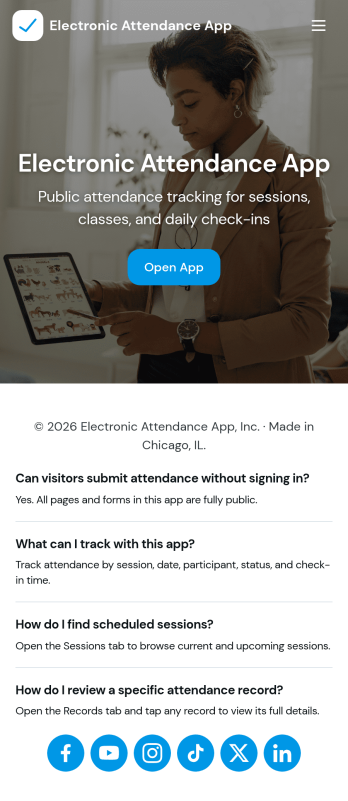
Electronic Attendance App
Electronic Attendance App helps schools, training programs, and youth organizations record attendance digitally while keeping student details and daily check-ins easy to access. Staff can open the app to run a quick Check In flow, jump to Students to review key information, and use an Attendance view to confirm who was present for a class, session, or event. It’s a practical fit for classrooms, tutoring centers, after-school programs, camps, and any team that needs a consistent way to capture attendance without paper lists.Built with Jotform, this app template can connect pages and buttons to the forms that power your attendance workflow and student record collection. Use Jotform’s no-code app builder and drag-and-drop interface to update navigation, tailor the check-in experience, and centralize data collection in one place for reliable self-service use across devices. As your process grows, you can refine how information is organized and keep attendance tracking simple for staff and admins.
Go to Category:Sign In Apps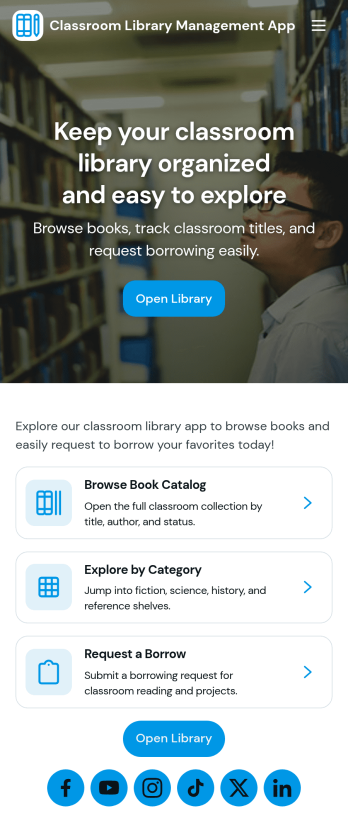
Classroom Library Management App
Classroom Library Management App helps teachers and school staff organize a classroom book collection and keep lending activity easy to follow. Students can browse the catalog, while you keep a clear record of who has which title, when it was loaned, and what is currently checked out. Use it to cut down on lost books, reduce time spent searching shelves, and create a simple routine for borrowing and returning that works during busy class periods, reading centers, or independent study time.Built with Jotform App Templates, this app template can be tailored in minutes with a no-code app builder and a drag-and-drop interface. Connect the app to your existing data collection workflows so you can add new books to your catalog, log loans as they happen, and review activity in one place. Share a single link for self-service access, keep information up to date, and manage day-to-day classroom library tasks without extra tools.
Go to Category:Classroom Management Apps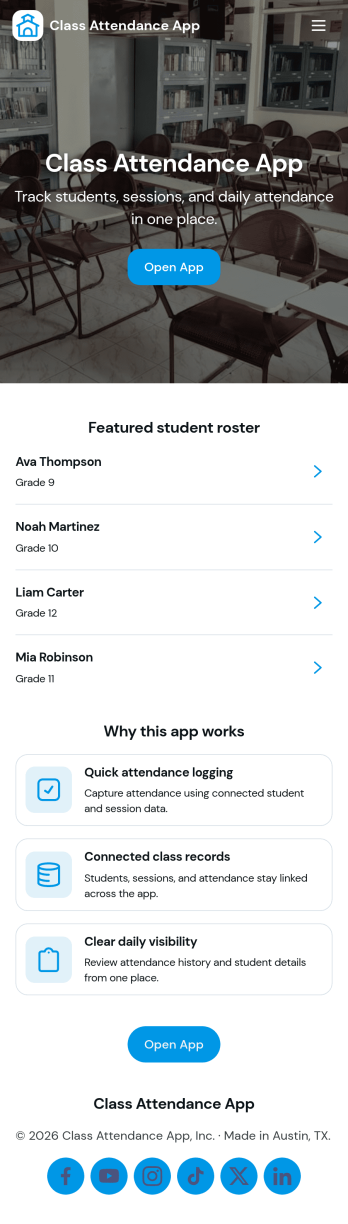
Class Attendance App
Class Attendance App helps teachers and training coordinators record attendance, manage a student roster, and review attendance history in one place. Use it in K–12 classrooms, tutoring centers, after-school programs, coaching sessions, and recurring workshops where you need a reliable roll-call flow and quick access to student lists. With dedicated areas to take attendance, add students, and open records, it supports day-to-day routines while keeping participation details organized for follow-ups, reporting, and student support.Built with Jotform, this app template turns routine tracking into a clear self-service experience that works on any device. Customize pages with a no-code app builder and a drag-and-drop interface, then connect your roster and attendance data collection to forms and tables for a smooth workflow. Share the app with staff using a link or QR code, keep records consistent across classes, and update the layout as your program grows.
Go to Category:Activity Tracking Apps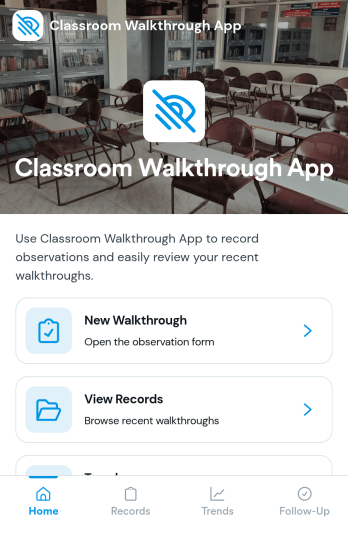
Classroom Walkthrough App
A classroom walkthrough app helps school leaders and instructional coaches document quick classroom observations, keep classroom information organized, and build a consistent record of what they see across learning spaces. Use it to maintain a simple classroom list, log walkthrough notes as you move between rooms, and review a history of prior visits so follow-ups feel informed and timely. It’s a practical fit for principals, assistant principals, department heads, and coaching teams who need a lightweight way to capture evidence during walkthroughs without relying on scattered paper notes.With Jotform, you can turn this classroom walkthrough app template into a polished self-service experience using a no-code app builder and a drag-and-drop interface. Connect the app to forms for fast data collection, organize records for each classroom and walkthrough entry, and keep your workflow consistent from one observer to the next. Share the app with your team, update it as your observation focus changes, and keep everything accessible on any device for smoother walkthrough routines.
Go to Category:Classroom Management AppsAbout Classroom Management Apps
Classroom Management Apps are versatile applications designed to streamline and enhance the educational experience within academic settings. These apps facilitate various operational use cases, such as scheduling classes, managing assignments, and communicating with students and parents efficiently. Utilized predominantly in educational institutions, these apps support teachers and administrators in organizing classroom activities and maintaining an effective learning environment. By integrating these apps into their workflows, educators can ensure seamless communication, efficient resource management, and improved student engagement.
Jotform Apps, known for its no-code app builder, empowers users to create Classroom Management Apps without any programming knowledge. Leveraging Progressive Web App (PWA) technology, these apps can be installed directly via a browser, eliminating the need for App Store downloads, and are fully functional across iOS, Android, tablet, and desktop devices. Additionally, Jotform’s centralized data management through Jotform Tables ensures that all educational data is organized and accessible, facilitating smooth administrative and educational workflows.
Why Use Classroom Management Apps?
- Classroom Management Apps improve communication between teachers, students, and parents by providing a centralized platform for sharing information. This ensures everyone is on the same page regarding class schedules, assignments, and important announcements.
- These apps streamline classroom operations by automating routine tasks such as attendance tracking, grade recording, and assignment submissions. This automation allows educators to focus more on teaching and less on administrative duties.
- By digitizing classroom management processes, these apps provide educators with real-time access to student data and performance metrics. This data-driven approach allows for more informed decision-making and personalized learning experiences for students.
- Classroom Management Apps offer flexible sharing options, enabling educators to distribute educational content and updates via direct links, emails, or social media. This flexibility ensures that information reaches its intended audience quickly and efficiently.
- The seamless integration of payment systems within these apps allows educational institutions to collect fees for extracurricular activities, field trips, and other services easily. This integration simplifies financial transactions and improves the overall efficiency of fee management.
Common Problems Solved by Classroom Management Apps
- A significant challenge in education is ensuring effective communication among teachers, students, and parents. Classroom Management Apps solve this by offering a centralized communication hub that consolidates messages, updates, and feedback in one place.
- Managing and organizing classroom activities can be time-consuming and prone to errors. These apps automate many of these processes, reducing paperwork and minimizing the risk of mistakes, thereby enhancing overall operational efficiency.
- Tracking student progress and performance is often difficult with traditional methods. Classroom Management Apps provide educators with instant access to comprehensive student data, enabling more accurate assessments and timely interventions.
- The complexity of managing payments for school-related activities can lead to delays and mismanagement. With integrated payment solutions, these apps streamline the collection process, ensuring timely and secure transactions.
- Accessibility of educational resources can be a barrier for some students. Classroom Management Apps ensure that learning materials are available anytime, anywhere, supporting diverse learning needs and promoting inclusivity.
Matching Use Cases to Features
- For educators looking to customize their app without technical expertise, Jotform Apps offers a Drag-and-Drop Interface. This feature simplifies the creation and customization of apps, allowing educators to design tailored solutions that fit their specific classroom needs.
- Schools aiming to streamline payment collection can leverage Payment Integrations like Stripe and PayPal within these apps. By integrating these payment gateways, schools can efficiently process payments for events, fees, and services, enhancing financial management.
- Push Notifications enable educators to send timely reminders and updates directly to students' devices. This feature ensures that important information such as assignment deadlines and class announcements is promptly communicated, improving overall engagement.
- For institutions requiring flexible access control, Publish Options allow apps to be shared publicly, privately, or restricted to company-only access. This feature ensures that sensitive educational data is protected and only accessible by authorized individuals.
- Workflow Automation within these apps facilitates seamless execution of repetitive tasks, such as attendance tracking and grade recording. This automation not only saves time but also reduces the risk of human error, leading to more accurate classroom management.
How to Create a Classroom Management App
- Choose a category-relevant template from the Template List or start from scratch.
- Customize using the Drag-and-Drop Interface to fit your classroom’s specific needs and preferences.
- Share the app with your audience via Link, QR Code, or Embed to ensure easy access and distribution.
Top Use Cases for Classroom Management Apps
- For Managers: Classroom Management Apps are invaluable for school administrators seeking to enhance organizational efficacy and streamline operations. By digitizing attendance and performance tracking, managers can access real-time data that aids in strategic decision-making. These apps also facilitate communication between staff, students, and parents, ensuring that all parties are informed and engaged. Moreover, integrated payment systems simplify the management of school fees and event collections, optimizing financial operations.
- For Teams: Educators working collaboratively can greatly benefit from Classroom Management Apps as they enable efficient sharing of resources and coordination of tasks. Teachers can easily distribute assignments, track student progress, and receive feedback from colleagues, fostering a collaborative teaching environment. Additionally, the ability to automate repetitive tasks reduces the administrative burden, allowing teaching teams to focus more on delivering quality education and less on paperwork.
- For Customers: Parents and students, as primary users, experience enhanced communication and engagement through Classroom Management Apps. These apps provide a platform for accessing real-time updates on academic performance, class schedules, and school announcements, ensuring that parents stay informed about their child's education. Furthermore, the convenience of digital payment options for school activities and fees simplifies transactions, providing a seamless user experience.
Summarizing Classroom Management Apps
Classroom Management Apps serve as a crucial component in modern education by optimizing communication, automating administrative tasks, and enhancing the overall learning experience. By leveraging the capabilities of Jotform’s no-code app builder, educators can create efficient, customized apps that address the unique needs of their classrooms without the need for coding expertise. These apps not only improve operational efficiency but also foster a more connected and informed educational community, ultimately contributing to better educational outcomes.
Frequently Asked Questions
1) Is it free to create and use Classroom Management apps on Jotform?
Creating and using Classroom Management apps on Jotform is free with the Starter plan, which provides access to essential features suitable for basic app creation and management. However, for users requiring more advanced features or higher usage limits, Jotform offers various paid plans that cater to different needs. These plans provide additional benefits such as increased storage, more submissions, and premium support. The flexibility in pricing ensures that both small and large educational institutions can find a plan that fits their budget and requirements.
2) Are the data and payments collected through the app secure?
Yes, the data and payments collected through Jotform Apps are secure. Jotform implements industry-standard security measures, including SSL encryption, to protect sensitive information. Additionally, Jotform complies with GDPR regulations, ensuring that user data is handled with the utmost care and privacy. Payment integrations such as Stripe and PayPal further enhance security by adhering to PCI compliance standards, providing users with a safe and reliable transaction process.
3) Do I need any coding skills to create a Classroom Management app with Jotform?
No, you do not need any coding skills to create a Classroom Management app with Jotform. Jotform Apps is designed as a no-code app builder, allowing users to create and customize apps with an intuitive Drag-and-Drop Interface. This approach enables educators and administrators to develop fully functional apps tailored to their specific needs without any programming knowledge. The user-friendly interface ensures that anyone can create a professional-quality app quickly and easily.
4) Can I collect payments for services directly through the app?
Yes, you can collect payments for services directly through the app using integrated payment solutions like Stripe and PayPal. These integrations allow educational institutions to process payments for various activities, such as tuition fees, field trip costs, and other school-related services. By incorporating these secure payment gateways, schools can streamline financial transactions, making it more convenient for parents and reducing administrative workload.
5) Does Jotform support offline data collection for Classroom Management apps?
Jotform supports offline data collection through its Mobile Forms feature. This capability allows educators to collect data in environments where internet connectivity may be limited or unavailable. Once the device regains internet access, the collected data is automatically synced to Jotform Tables, ensuring that no information is lost. This feature is particularly useful for field activities or remote locations, providing flexibility and reliability in data management.
6) Are Jotform Apps compatible with both iOS and Android devices?
Yes, Jotform Apps are compatible with both iOS and Android devices. Built on Progressive Web App (PWA) technology, these apps can be installed directly through a web browser, eliminating the need for traditional App Store downloads. This cross-platform compatibility ensures that users have access to their apps on any device, whether it be a smartphone, tablet, or desktop, providing a seamless and consistent user experience.
7) How do Classroom Management Apps improve communication in educational settings?
Classroom Management Apps improve communication by providing a centralized platform where teachers, students, and parents can easily share and access information. Features such as Push Notifications and direct messaging ensure that important updates and announcements are communicated promptly. This centralized communication system reduces the chances of miscommunication and ensures that all stakeholders are informed and engaged.
8) Can Classroom Management Apps be customized to fit specific educational needs?
Yes, Classroom Management Apps can be customized to fit specific educational needs using Jotform’s Drag-and-Drop Interface. This customization capability allows educators to tailor the app’s features and layout to align with their unique classroom requirements. Whether it’s adjusting the app’s design, integrating specific workflows, or setting up custom notifications, the flexibility provided by Jotform ensures that the app meets the diverse needs of different educational environments.